Category: General blogs

  • The New Rules of Hybrid Meetings: What Today’s Teams Need to Thrive

    The New Rules of Hybrid Meetings: What Today’s Teams Need to Thrive

    Hybrid meetings are here to stay, but running them effectively requires more than just logging into a video call. In today’s work environment, teams are scattered across offices, homes, and time zones, making it essential to rethink how meetings are structured, facilitated, and followed up.

    This blog uncovers the new rules that successful teams follow to make hybrid collaboration work: from inclusive participation and camera etiquette to structured agendas and accessible follow-up resources. You’ll discover why hybrid meetings demand more planning than traditional in-person meetings, and how the right tools can make the difference between chaotic calls and productive sessions.

    In between these best practices, we’ll also show how platforms like V.connct are being used by teams to enable smoother, smarter, and more secure hybrid collaboration, without forcing users into complex tech setups. Whether you’re leading a global team or joining from a home office, these principles will help you build a stronger hybrid meeting culture that supports clarity, connection, and performance.

    Hybrid Meetings

    The New Rules of Hybrid Meetings: What Today’s Teams Need to Thrive

    As the world embraces flexible work, hybrid meetings have become the new norm. But anyone who’s sat through a disjointed video call knows that hybrid doesn’t automatically mean effective. To get real results, teams need to follow a new playbook, one that blends technology, etiquette, and structure.

    Here are the key rules to thrive in today’s hybrid meeting culture:

    1. Everyone Should Be Seen and Heard Equally

    Invest in tools that provide equal visibility and voice to both in-office and remote participants. This includes clear audio, smart camera framing, and a reliable platform like V.connct that prioritizes low-latency communication.

    2. Set and Share an Agenda in Advance

    Clear agendas sent before the meeting help all attendees come prepared and reduce the need for repeat discussions.

    3. Assign Meeting Roles

    Designate facilitators, timekeepers, and note-takers to maintain flow and focus. V.connct’s role-based permissions make it easy to assign these roles without distractions.

    4. Use Features That Encourage Engagement

    Breakout rooms, polls, and shared notes aren’t just for fun; they ensure every voice is heard. Hybrid success depends on making remote attendees feel active, not passive.

    5. Record and Share the Recap

    Not everyone can attend every meeting. Using V.connct’s recording and file-sharing tools ensures updates are accessible and secure across time zones.

    6. Minimize Tech Friction

    Avoid switching tools mid-meeting. Choose a platform that integrates chat, screen sharing, and file sharing in one place. V.connct offers all of these without needing extra logins.

    7. Respect Time and Focus

    Shorter, well-run hybrid meetings beat long, unfocused ones. Timebox discussions and end with clear action items.

    Hybrid meetings are no longer optional; they’re essential. The difference between fatigue and flow lies in how they’re run. By applying these new rules and leveraging intuitive platforms like V.connct, teams can meet smarter, collaborate better, and thrive in the modern workplace.

    Try V.connct Today

    Experience a better way to connect your hybrid team.
    Try V.connct for Free or Book a Demo now!

  • How V.connct Ensures Video Conferencing Privacy

    How V.connct Ensures Video Conferencing Privacy

     In today’s digital-first world, the privacy of video conferencing is not just a preference; it’s a necessity. As businesses, healthcare providers, educators, and governments rely more on virtual collaboration, the need for secure platforms like V.connct becomes critical.

    This blog explores how V.connct is designed from the ground up with privacy in mind. With features like end-to-end encryption, role-based access controls, lockable meetings, profile visibility settings, and waiting rooms, V.connct ensures that only the right people are in the room, virtually speaking.

    You’ll learn how these privacy safeguards prevent data leaks, stop unauthorized access, and support compliance with laws like GDPR and HIPAA. Whether you’re hosting sensitive discussions or routine check-ins, V.connct empowers you to communicate with confidence, knowing your team’s information is protected. Discover why V.connct’s privacy-first approach is trusted by organizations worldwide to safeguard their most important conversations.

    Video Conferencing Privacy

    Your Conversations Deserve Protection with Video Conferencing Privacy

    At V.connct, we believe that privacy is fundamental. That’s why we’ve built every feature with security in mind, ensuring your video calls, chats, and file sharing are protected end-to-end.

    1. End-to-End Encryption by Default

    All video and audio streams, chat messages, and file shares in V.connct are encrypted on your device and decrypted only on the recipient’s device, ensuring nobody in the middle can eavesdrop.

    2. Role-Based Permissions

    Control who can join, present, speak, or manage meetings. Moderators and admins can assign roles, such as viewer, presenter, or host, to limit access based on function.

    3. Lockable Meetings

    Prevent late or unwanted joiners by locking meetings after they’ve started. Even if someone has the link, they won’t be able to enter.

    4. Profile Visibility Settings

    Users can hide personal details like full name or email, which is especially helpful in external or large-group meetings.

    5. Waiting Rooms

    Add a pre-meeting buffer where participants must be approved before entering the main room, similar to a reception desk.

    6. Secure File Sharing

    Files shared during meetings are encrypted and accessible only to participants with the proper permissions.

    7. Privacy-Centric Design

    Nothing is stored or accessed without your consent. V.connct uses a zero-access architecture that respects your team’s boundaries.

    Try V.connct for Free

    Start your journey toward secure communication.
    Try V.connct Free or Book a Demo Today.

  • End-to-End Encryption in V.connct: Why It Matters?

    End-to-End Encryption in V.connct: Why It Matters?

    In a world where data breaches and surveillance risks are increasingly common, protecting your team’s conversations is a top priority. V.connct has built its platform with privacy at the core, and end-to-end encryption (E2EE) is a key part of that mission.

    Here’s how it works, and why it’s critical for your organization:

    End-to-End Encryption

    1. What Is End-to-End Encryption?

    End-to-end encryption means that your meeting content, video, audio, messages, and files are encrypted on the sender’s device and only decrypted on the recipient’s device. No one else, including V.connct itself, can access this data in transit or at rest.

    This differs from standard encryption, where the service provider may still be able to decrypt and access your communication.

    2. How V.connct Implements E2EE

     Device-Level Key Generation
    Each session generates unique encryption keys locally on participant devices. These keys are never removed from the device and are never stored on V.connct servers.

    Secure Key Exchange
    Keys are exchanged through secure channels using cryptographic protocols that ensure only verified participants can join the encrypted session.

     Encrypted Chat and File Sharing
    In addition to video and audio, your messages and any shared files are encrypted end-to-end for total confidentiality.

    3. Why It Matters to Your Team

    • Privacy Assurance: Whether you’re discussing patient records, business strategy, or student data, your content stays confidential.
    • Regulatory Compliance: V.connct’s E2EE setup helps organizations meet GDPR, HIPAA, and other data protection requirements.
    • User Trust: Encrypted meetings build confidence among clients, partners, and employees that their communication is safe.

    4. E2EE in Action: V.connct Features That Support It

    •  Encrypted breakout rooms
    •  Role-based access to meeting features
    • Link expiration and invitation authentication
    •  No server-side decryption at any stage

    5. A Commitment to Secure Communication

    Security at V.connct is not an afterthought; it’s the foundation. Every release prioritizes encryption performance and usability to ensure teams can collaborate confidently without compromise.

    Experience V.connct’s Secure Ecosystem Today

    From encrypted meetings to privacy-first collaboration tools, V.connct delivers everything you need to keep your communication secure.

    Try V.connct for Free or Book a Demo with Our Team Today.

  • 7 Privacy Settings Every V.connct User Should !Know About

    7 Privacy Settings Every V.connct User Should !Know About

    Whether you’re hosting high-stakes business meetings or virtual classrooms, the ability to control who joins, what they see, and how they interact is essential. V.connct was designed with this in mind, offering robust privacy settings that empower users and admins alike. In this article, we’ll walk you through 7 powerful privacy settings in V.connct that help you create safer, more controlled virtual spaces without compromising collaboration or ease of use.

    Privacy Settings

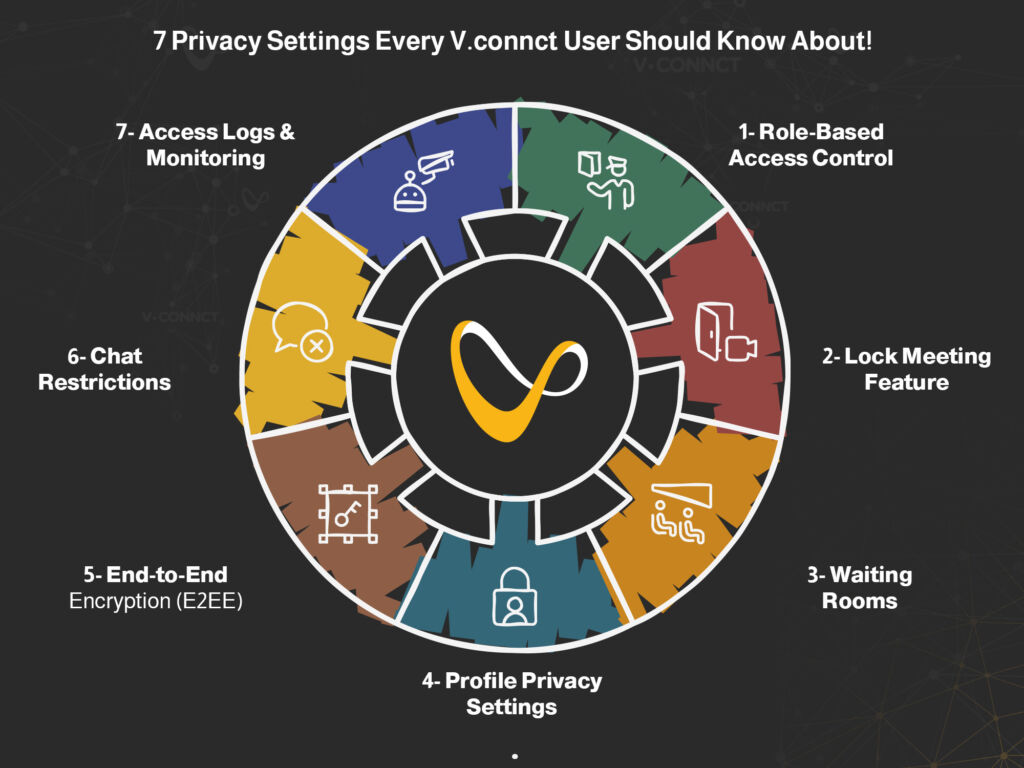
    1. Role-Based Access Control

    Assign roles like Moderator, Presenter, or Viewer to limit who can share screens, speak, or invite others. This keeps the meeting structure intact and prevents misuse.

     2. Lock Meeting Feature

    Once a meeting begins, hosts can lock it, preventing anyone else from joining, even if they have the link.

    3. Waiting Rooms

    Meetings can begin with a waiting room, giving hosts time to vet and approve attendees before admitting them.

    4. Profile Privacy Settings

    Control how much profile information is visible to others. Users can hide details like email or full name, ideal for external meetings.

     5. End-to-End Encryption (E2EE)

    All messages, files, and video streams are encrypted from sender to receiver, ensuring no unauthorized access, including from V.connct itself.

    6. Chat Restrictions

    Moderators can restrict who can chat, when, and whether private messaging is allowed. This prevents misuse or distractions during sessions.

     7. Access Logs & Monitoring

    Admins have access to detailed logs of join/leave activity and role changes, helping them audit usage and identify issues in real time.

    Security begins with awareness. These 7 privacy settings give you full control over how your meetings are run, who participates, and how data is shared.

    Try V.connct for Free or Book a Demo today to explore these features in action.

  • Top 5 Bug Fixes from V.connct That Boost Forecast Accuracy

    Top 5 Bug Fixes from V.connct That Boost Forecast Accuracy

    At V.connct, we know that small bugs can lead to big disruptions, especially when it comes to planning meetings, scheduling calls, or forecasting team activities. That’s why we’re continuously improving our system to ensure every feature delivers with precision. In our most recent set of releases, we addressed critical bugs that were affecting forecast reliability and user experience.

    Let’s take a closer look at what’s been fixed and how it directly improves your team’s performance and planning.

    Key Bug Fixes That Enhance Forecast Accuracy

     1. Mobile Fixes for Time Zone Drift

    Release: Mobile App v8.0.7
    Bug fixes in how meeting times were displayed across devices now ensure consistent time zone handling. This is crucial for teams scheduling cross-region sessions or forecasting availability windows accurately.

     2. Web App Speed & Data Sync Fixes

    Release: Website v6.2.0
    Inaccurate loading of meeting statistics and user engagement data has been resolved. This enables more reliable dashboards and historical reports, improving forecast precision.

     3. AI Prediction Engine Optimization

    Release: Desktop v3.0 Update
    Bug fixes within the new engine have resolved incorrect session pattern calculations. This update improves how the system interprets past behaviors for smarter future scheduling and analytics.

    4. Dashboard Display Corrections

    User-reported issues like metrics misalignment or broken graphs have been addressed, ensuring better visualization of key data points used for forecasting attendance, usage trends, or workload.

    5. Data Export Reliability

    Several bugs in CSV/Excel export across platforms were fixed, ensuring accurate data extraction for offline analysis or strategic planning.

    Why This Matters to You

    Whether you’re managing workforce schedules, preparing executive meetings, or analyzing product adoption, precision matters. These bug fixes ensure that:

    • Your team gets the right time, every time
    • Dashboard metrics reflect real user data
    • Meeting stats support accurate forecasting
    • Mobile reliability matches desktop power
    bug fixes
    bug fixes

    Try the New V.connct Today

    We’re constantly improving to help you plan better and scale faster.
    Explore the upgraded platform and see how the new fixes can enhance your team’s performance.

    Try V.connct for Free or Book a Demo

  • Avoid Meeting Bombing: 5 Security Features from V.connct

    Avoid Meeting Bombing: 5 Security Features from V.connct

    At V.connct, ensuring the safety of your team’s conversations is a top priority. Meeting bombing, also known as unwanted participant intrusion, can derail important sessions, expose confidential information, and damage user trust. That’s why we’ve developed a comprehensive set of tools and policies designed to prevent disruptions and maintain meeting integrity.

    Meeting bombing
    Meeting bombing

    Here’s how V.connct helps you stay protected:

    1. Waiting Rooms for Pre-Meeting Verification

    Every meeting in V.connct can be set to include a virtual waiting room. This allows moderators to review and admit only approved participants. Think of it as a security checkpoint; no one gets in unless they belong.

    2. Lockable Meetings to Prevent Late Intrusions

    Once your meeting starts, you can lock it, just as you would close a physical door. This prevents any new participants from joining unexpectedly, even if they have the link.

    3. Role-Based Permissions for Maximum Control

    V.connct allows hosts to assign roles, such as Moderator, Presenter, or Viewer, each with specific permissions. Only authorized users can unmute themselves, share screens, or use chat, eliminating potential abuse from unknown attendees.

    4. End-to-end encryption for Private Conversations

    All meetings are protected with end-to-end encryption, ensuring no one, including V.connct, can access your conversation content. It’s a privacy-first design in action.

    5. Real-Time Monitoring & Reporting Tools

    In the rare case a meeting is disrupted, hosts can instantly remove participants and report abuse through the platform. This allows for swift action and helps improve the system for future meetings.

    Why Meeting Bombing Prevention Is Essential

    A single disruption can waste time, reduce trust, and pose compliance risks. Whether you’re in education, government, or enterprise settings, a secure platform protects your team’s productivity and your organization’s reputation.

    Choose Peace of Mind with V.connct

    Security isn’t just a checkbox, it’s part of the V.connct experience. From granular access settings to real-time controls, our platform is built to keep your meetings protected and your team focused.

     Try V.connct for Free or Book a Demo with Our Team Today

  • Call Center Workforce Management: Best Practices and Tips

    Call Center Workforce Management: Best Practices and Tips

    Running a successful call center is about more than just answering calls; it’s about managing people, processes, and performance in real time. That’s why call center workforce management has become essential for companies aiming to deliver efficient, scalable customer service. In this article, we’ll share the top practices and expert tips to help you improve agent performance, reduce costs, and boost customer satisfaction.

    What Is Call Center Workforce Management?

    Call center workforce management (WFM) refers to the strategies, tools, and processes used to plan, track, and optimize the performance of customer service agents. It typically includes:

    • Forecasting call volume
    • Scheduling agents
    • Monitoring adherence and productivity
    • Managing breaks, shift swaps, and leave
    • Real-time and historical performance analysis

    A good WFM system ensures the right number of agents are in place to handle demand without overstaffing or underdelivering.

    Best Practices for Effective Call Center Workforce Management

    1. Leverage Historical and Real-Time Data

    Use a combination of historical call patterns and real-time data to forecast staffing needs. AI-powered systems can help you predict volume spikes and reduce wait times.

    2. Optimize Agent Scheduling with Flexibility

    Allowing agents to bid for shifts, submit availability, and swap shifts gives them more control, while still keeping schedules aligned with service goals.

    3. Monitor Adherence, Not Just Attendance

    Attendance is important, but adherence, whether agents are following their scheduled activities, is a more accurate measure of performance.

    4. Use Dashboards to Track Real-Time KPIs

    Dashboards give supervisors visibility into metrics like average handle time, queue length, and customer satisfaction, allowing them to act quickly when issues arise.

    5. Don’t Neglect Agent Engagement

    Engaged agents deliver better customer service. Recognize performance, offer development opportunities, and collect feedback regularly to keep morale high.

    Key Features to Look For in a Call Center WFM Platform

    When choosing a tool like V.connct, make sure it offers:

    • AI-based forecasting and smart scheduling
    • Real-time performance monitoring
    • Shift bidding and automated approvals
    • Mobile app for agent flexibility
    • Role-based access controls

    Why It Matters Now More Than Ever

    With customer expectations rising and hybrid work becoming the norm, call centers need agile workforce management solutions. A smart WFM system empowers teams to be responsive, data-driven, and human-centered, all at once.

    Ready to Optimize Your Call Center?

    Discover how V.connct helps you streamline operations, forecast smarter, and support happier teams.
    Try V.connct for Free or Book a Demo today.

  • Workforce Management Software: Why It’s Essential

    Workforce Management Software: Why It’s Essential

    With teams spread across time zones and diverse work models, efficiency has become a strategic necessity. That’s where workforce management software comes in. Whether you’re running a small team or a global enterprise, this software helps streamline scheduling, track performance, and enhance overall productivity. In this blog, we’ll break down what it is, how it works, and why it’s essential in today’s hybrid work landscape.

    What Is Workforce Management Software?

    Workforce management software (WFM) is a digital solution that helps businesses optimize how their employees work. It handles tasks like:

    • Employee scheduling
    • Time tracking and attendance
    • Workload forecasting
    • Shift management
    • Performance analytics

    By automating routine HR and operations processes, WFM software frees up time for strategic decision-making and team development.

    Why Does Workforce Management Software Matter?

    Here’s why more organizations are investing in workforce management tools:

     1. It Reduces Manual Errors

    Replacing spreadsheets with automated scheduling and attendance tracking minimizes human error and data discrepancies.

     2. It Improves Operational Efficiency

    WFM tools align workforce supply with business demand, ensuring the right number of staff are in the right place at the right time.

     3. It Enhances Employee Experience

    Allowing employees to view schedules, request time off, or swap shifts via a simple interface increases satisfaction and engagement.

     4. It Supports Compliance and Accountability

    Workforce management software helps you stay compliant with labor laws and track employee adherence to policies.

    Core Features to Look For in a WFM Solution

    When choosing a workforce management software like V.connct, make sure it includes:

    • AI-powered forecasting for smarter shift planning
    • Mobile access so teams can manage tasks on the go
    • Real-time dashboards for managers to track KPIs
    • Automated alerts to flag scheduling conflicts or missed shifts
    • Role-based permissions for secure access control

    Who Needs Workforce Management Software?

    This software is a must-have for:

    • Call centers & support teams
    • Healthcare providers
    • Retail chains
    • Educational institutions
    • Remote and hybrid teams

    If your business relies on shift-based work or has more than 10 employees, chances are, WFM will save you time and money.

    Ready to Upgrade Your Workforce Operations?

    Discover how V.connct can simplify and scale your workforce management strategy.
    Try V.connct for Free or Book a Demo with our team today.

  • Secure Team Chat: 5 Best Practices for Encrypted Meetings

    Secure Team Chat: 5 Best Practices for Encrypted Meetings

    In today’s hybrid workplace, secure communication isn’t optional; it’s essential. Whether you’re coordinating across departments or hosting confidential client calls, secure team chat ensures your data and conversations remain private. This blog highlights best practices for keeping your meeting chats protected and encrypted from start to finish.

     Why Secure Team Chat Matters

    Unencrypted conversations can expose sensitive information, client data, internal strategies, or legal discussions to potential threats. A secure team chat not only protects data but also fosters trust with clients and colleagues. With regulations like GDPR and HIPAA in play, it’s more important than ever to maintain a secure digital environment.

    1. Use Platforms with End-to-End Encryption (E2EE)

    Choose a communication tool that offers end-to-end encryption by default for both messaging and meetings. This ensures that only participants can read messages, not from a third party, not even the service provider.

    Example: V.connct uses advanced encryption protocols to protect all chats and files shared during a meeting.

    2. Enable Role-Based Permissions for Chat Access

    Not every team member needs access to every conversation. Assign roles like Moderator, Presenter, and Attendee with specific permissions to limit who can send, view, or save messages.

     3. Set Auto-Clear and Chat History Retention Policies

    For highly sensitive discussions, set your system to auto-delete chat logs after meetings. This prevents accidental data leakage and ensures messages aren’t stored unnecessarily.

    4. Avoid Sharing Confidential Files in Open Chats

    It’s tempting to drop quick screenshots or reports in the chat, but avoid sharing sensitive documents unless you’re using secure file-sharing channels integrated into the platform.

    5. Train Your Team on Secure Chat Etiquette

    Technology is only as secure as the people using it. Offer quick training on chat safety, covering:

    • What to share (and what not to)
    • Recognizing phishing or spoofed links
    • Proper tagging and role etiquette in secure environments

     Keep Security in Focus Without Losing Collaboration

    Security doesn’t have to slow your team down. With the right platform and habits, secure team chat becomes a natural part of your collaboration toolkit, empowering you to move fast and stay protected.

    Try V.connct Today

    Seeking a secure and user-friendly team chat platform that prioritizes privacy?
    Try V.connct for Free or Book a Demo with our security experts.

  • Chat During Meetings: 5 Tips to Boost Team Productivity

    Chat During Meetings: 5 Tips to Boost Team Productivity

    Remote work has transformed the way teams collaborate, but without effective communication, even the most talented teams can lose focus and momentum.
    Surprisingly, one of the most powerful and underutilized tools in remote meetings is the chat box. Used strategically, chat during meetings can align teams, reduce distractions, and keep everyone engaged in real time.

    In this blog, we’ll share 5 simple but powerful tips to turn your meeting chat into a productivity powerhouse.

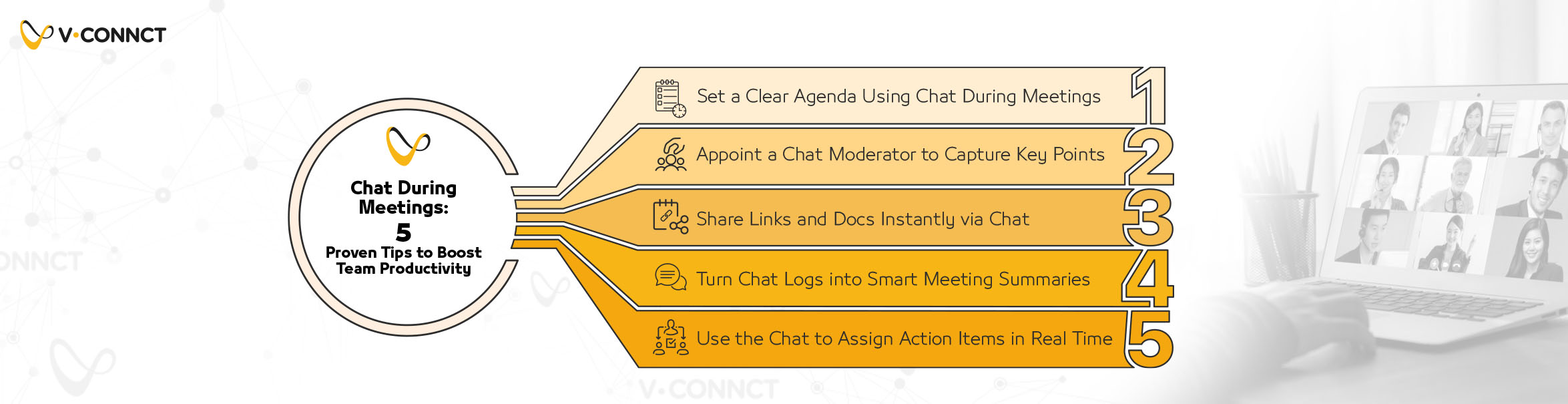
    1. Set a Clear Agenda Using Chat During Meetings

    Before anyone hits “Join,” share a concise, bulleted agenda directly in the meeting chat.

    • It sets expectations
    • Keeps discussions on track
    • Reduces unnecessary tangents

    Pro tip: If using recurring meetings, keep a template agenda handy to reuse and modify quickly.

    2. Appoint a Chat Moderator to Capture Key Points

    Designate a team member to act as the meeting’s chat note-taker. They’ll record:

    • Action items
    • Decisions made
    • Outstanding questions

    This running log helps everyone stay in sync—especially when reviewing post-meeting chat transcripts.

    3. Share Links and Docs Instantly via Chat

    Forget screen sharing or post-meeting emails.
    Drop links to documents, decks, or tools directly into the chat for immediate access. This keeps everyone in the loop without breaking focus or switching tabs.

    Pro tip: Use pinned messages or starred chats for easy retrieval during the meeting.

    4. Turn Chat Logs into Smart Meeting Summaries

    After the call, don’t let your chat disappear into the void.
    Export the transcript and turn it into a:

    • Quick recap email
    • Task list in your project management app
    • Meeting summary in shared documentation

    It’s a fast, low-effort way to improve continuity across meetings.

    5. Use the Chat to Assign Action Items in Real Time

    Once a decision is made, drop the related task in the chat immediately.

    • Use bullet points
    • Tag the responsible person
    • Include due dates if possible

    This creates an informal live checklist and helps with accountability post-meeting.

    Ready to Supercharge Your Meeting Chat?

    Smarter collaboration is just one message away.
    ✨ Try V.connct for free—or Book a Demo with our team and transform your next remote meeting into a productivity machine. hat. It serves as a live checklist, making follow-ups easier.

    Ready to Supercharge Your Team Chat?

    Want smarter collaboration and seamless chat in your next remote meeting?
    Try V.connct for Free or Book a Demo with Our Team