التصنيف: V.connct 3

  • Real-Time Online Classrooms: A Revolution in Education

    Real-Time Online Classrooms: A Revolution in Education

    Real-time online classrooms are revolutionizing education by allowing teachers and students to interact with each other in real time over the internet. This innovative approach to learning offers several advantages, including:

    Flexibility: Students can attend classes from anywhere, at any time, making education more accessible to those who may not be able to attend classes in person.

    Accessibility: Students who have difficulty attending classes in person, such as those with disabilities or who live in remote areas, can participate in real-time online classes.

    Interactivity: Teachers and students can interact with each other in real time, creating a more engaging and collaborative learning experience.

    Personalization: Teachers can personalize instruction for individual students using a variety of tools and technologies.

    Real-time online classrooms are a powerful tool that can help improve education for everyone. By overcoming the challenges and utilizing the tips outlined above, teachers can create immersive and effective learning experiences for students around the world.

    You can find more in our website https://vconnct.me/

  • Online Education: An Internet-Based Learning Revolution

    Online Education: An Internet-Based Learning Revolution

    Online education, also known as e-learning, is an educational approach that uses the internet to deliver educational content and interactive experiences to students.

    Benefits of online education:

    • Flexibility: Students can learn anytime, anywhere.
    • Variety: A wide range of programs and courses are available online.
    • Cost: Online education is often cheaper than traditional education.
    • Interactivity: Many online learning platforms offer interactive tools to promote student engagement.
    • Accessibility: Students with special needs can benefit from accessibility features available on some platforms.

    Types of online education:

    • Online courses: Complete courses offered online.
    • Blended learning: A combination of traditional and online learning.
    • Self-directed learning: Students learn on their own using online educational content.
    • Distance learning: Students receive lessons from a teacher in another location via the internet.

    Online education tools:

    • Learning management systems: Provide a virtual environment for students to access educational content and interact with teachers and peers.
    • Virtual classrooms: Virtual rooms used for live interaction between teachers and students.
    • Collaboration tools: Tools that allow students to work together on projects and assignments.
    • Interactive educational content: Videos, educational games, applications, and other interactive materials.

    Online education is a powerful tool that can help you achieve your educational goals.

    You can find more in our website https://vconnct.me

  • Synchronous vs. Asynchronous Learning: Finding the Right Fit

    Synchronous vs. Asynchronous Learning: Finding the Right Fit

    Learning comes in many forms, and both synchronous and asynchronous approaches offer unique advantages and drawbacks. Whether you’re a student or an educator, understanding these differences can help you choose the optimal learning experience.

    Synchronous Learning:

    • Happens in real-time: Imagine a virtual classroom where everyone is online at the same time, interacting with the instructor and peers through live discussions, presentations, and activities.
    • Pros:
      • Immediate feedback and discussions: Get answers to questions instantly and engage in dynamic debates.
      • Collaborative activities: Group projects, breakout rooms, and real-time polls foster teamwork and engagement.
      • Structured schedule: Provides a clear timeframe for learning, helping some students stay focused.

    Asynchronous Learning:

    • Flexible and self-paced: Learn at your own convenience, revisiting materials and completing tasks on your own schedule.
    • Pros:
      • Review and revisit: Go back to lectures, discussions, and activities whenever needed for deeper understanding.
      • Independent learning: Develops self-motivation and time management skills.
      • Accessibility: More accommodating for students with disabilities or learning differences.
    • The Hybrid Approach:

    The best scenario often lies in a blended approach, combining both synchronous and asynchronous elements.

    Choosing the Right Method:

    The ideal learning method depends on various factors, including:

    • Learning objectives: What specific skills or knowledge do you want to acquire or impart?
    • Target audience: Consider the learning styles, needs, and preferences of your learners.
    • Available resources: Evaluate access to technology and support systems.
    • Instructor expertise: Assess your comfort level in facilitating both synchronous and asynchronous environments.

    Remember, the key is to create a learning experience that is effective, engaging, and accessible for everyone involved. So, explore both options, experiment, and find the perfect blend that unlocks your learning potential!

    You can find more in our website https://vconnct.me/

  • Educational web conference

    Educational web conference

    Online educational webinars have become increasingly popular as a way for businesses and individuals to deliver and receive education. V.connct meet is a powerful and easy-to-use platform for conducting online educational webinars. It offers a number of advantages over traditional classroom-based education:

    • Flexibility: Participants can attend the webinar from anywhere, at any time.
    • Cost-effectiveness: There is no need for travel or accommodation, and technology costs can be lower than those for traditional classrooms.
    • Scalability: Webinars can accommodate a larger number of participants than traditional classrooms.
    • Interactivity: Webinars can be just as interactive as traditional classroom-based education, using features such as screen sharing, video, and polls.

    Tools and Techniques for Online Educational Webinars in V.connct meet:

    • Screen Sharing: Screen sharing allows you to show your participants presentations, documents, videos, and more.
    • Whiteboard: The whiteboard is an interactive tool that allows you to write and draw on a virtual screen.
    • Videos: You can use videos to add a visual element to your webinar.
    • Breakout Rooms: Breakout rooms are small virtual rooms that participants can use to work together in small groups.
    • V.connct meet provides a powerful and easy-to-use platform for conducting online educational webinars.

    You can find more in our website https://vconnct.me/

  • Engaging and Effective Learning with V.connct

    Engaging and Effective Learning with V.connct

    In today’s digital world, e-learning is becoming increasingly popular. And for good reason. It’s convenient, affordable, and can be just as effective as traditional classroom learning. But what’s the best e-learning tool out there?

    V.connct is a powerful video conferencing app that can be used to deliver engaging and effective educational content. It offers a variety of features that can be used to create interactive and collaborative learning experiences for students of all ages.

    Here are just a few of the ways that V.connct can be used in the education industry:

    • Live online classes: V.connct can be used to deliver live online classes to students anywhere in the world. Teachers can use the app to share their screen, whiteboard, and audio with students. They can also use the app to conduct polls and quizzes, and to lead group discussions.
    • Recorded lectures and tutorials: Teachers can record their lectures and tutorials using V.connct and share them with students to review at their own pace. This can be especially helpful for students who need additional support or who missed a class.
    • Office hours and one-on-one tutoring: Teachers can use V.connct to hold office hours and provide one-on-one tutoring to students. This is a great way for students to get personalized help with their coursework.
    • Collaborative projects: V.connct can be used to facilitate collaborative projects between students. Students can use the app to share files, work on projects together in real time, and communicate with each other easily.
    • Parent-teacher conferences: V.connct can be used to hold parent-teacher conferences online. This can be a convenient way for parents and teachers to meet and discuss student progress, especially if the parent is unable to attend a meeting in person.

    Engaging Features of V.connct in “Meet and classroom”

    V.connct offers a number of engaging features that can make meetings less boring and more effective than other meeting apps. Some of these features include:

    • Whiteboard: The whiteboard feature allows participants to draw diagrams, solve problems, and brainstorm ideas together in real time.
    • Screen sharing: The screen sharing feature allows participants to share presentations, videos, and other educational resources with each other.
    • Polls and questionnaires: The polls and questionnaires feature allow teachers to create and conduct polls and quizzes with students during live classes.
    • Meeting recording and download: The meeting recording and download feature allows teachers to record their lectures and tutorials and share them with students to review at their own pace.
    • Participant state: is an important metric to track in meetings. It can be used to measure the engagement and attention of the meeting participants.
    • Car mode: Car Mode can be used to attend online classes or lectures while driving. This can be a great way to learn new things while you are commuting or on a road trip.
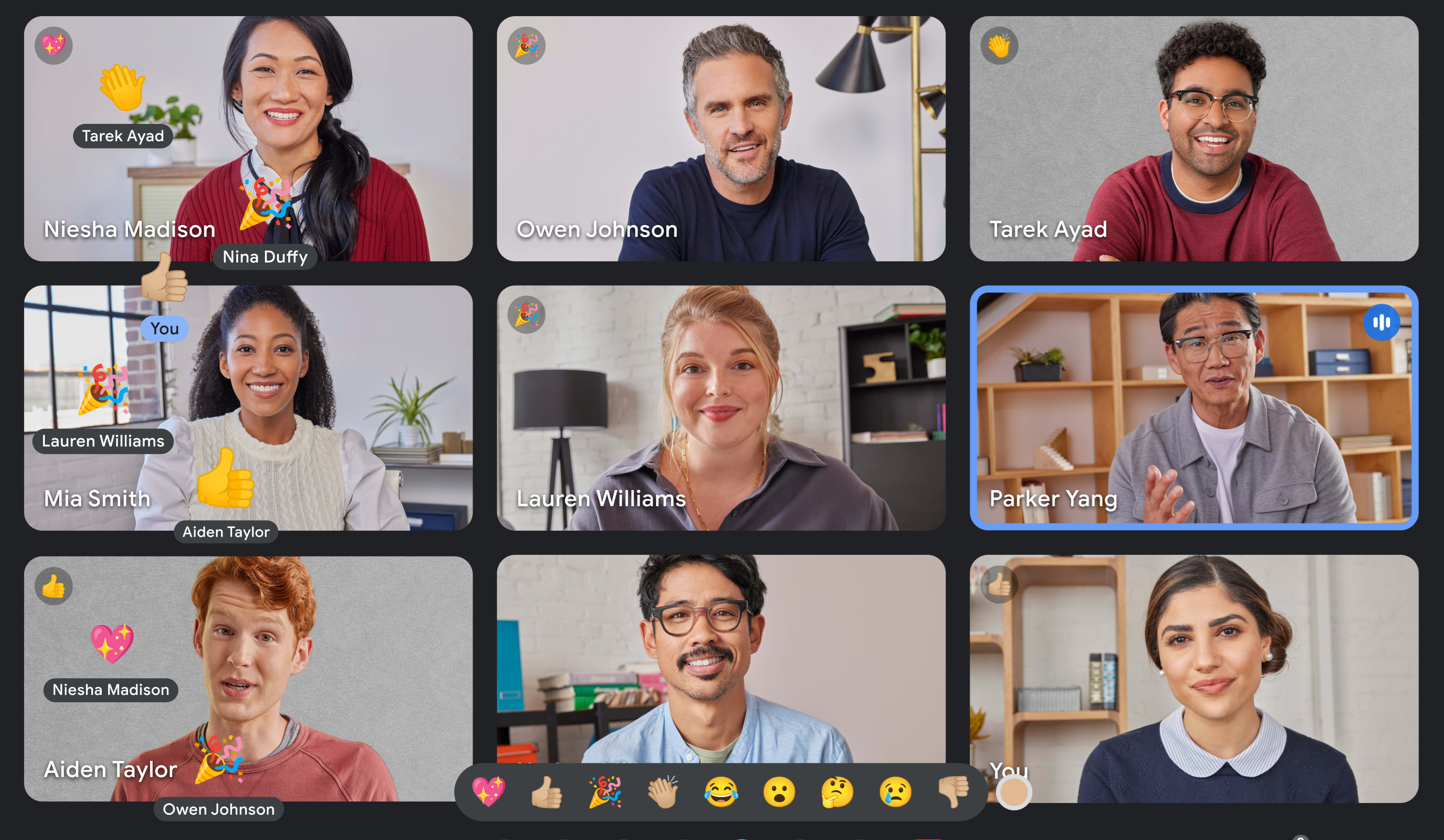
    • Emojis: Emojis can help to make meetings more engaging and fun, especially for remote participants, Emojis can be used to clarify the tone of a message, which can be helpful in avoiding misunderstandings. For example, a smiley face emoji can be used to indicate that a message is meant to be friendly and casual.
    • Chatting: Chat allows people to participate without having to raise their hand and wait to be called on. This is especially important for shy or introverted people. Chat can be used to ask questions, clarify points, and share ideas without interrupting the speaker. This helps to keep the meeting moving forward and prevents it from going off on tangents.
    • Virtual background: It allows teachers to change the background of their virtual classroom or presentation to any image, which can help to capture students’ attention and make learning more fun and interactive.

    If you’re looking for an easy-to-use e-learning tool that can help you deliver engaging and effective educational content, then V.connct is the perfect solution for you. Sign up for a free trial today and see how V.connct can help you transform your teaching and learning experience.

    Ready to take your business collaboration to new heights? Visit www.vconnct.me and download our Application.

  • Emojis in Meetings: More Than Just Fun and Games

    Emojis in Meetings: More Than Just Fun and Games

    Emojis are often seen as informal and playful, but they can also be a valuable tool for communication in the workplace, including in meetings. Emojis can help to convey tone and emotion, which can be difficult to do in text-based communication. They can also help to make meetings more engaging and fun.

    Here are some of the benefits of using emojis in meetings:

    • Express emotions: Emojis can be used to express a wide range of emotions, from happiness and excitement to sadness and frustration. This can help to make meetings more personal and human.
    • Clarify tone: Emojis can be used to clarify the tone of a message, which can be helpful in avoiding misunderstandings. For example, a smiley face emoji can be used to indicate that a message is meant to be friendly and casual.
    • Make meetings more engaging: Emojis can help to make meetings more engaging and fun, especially for remote participants. They can also be used to break the ice and create a more relaxed atmosphere.

    Here are some tips for using emojis in meetings effectively:

    • Use emojis sparingly. Too many emojis can be distracting and unprofessional.
    • Choose emojis that are appropriate for the context of the meeting. For example, you wouldn’t want to use a lot of playful emojis in a serious meeting.
    • Be aware of the cultural differences in emoji use. Not all emojis are interpreted the same way in all cultures.

    Next time you’re in a meeting, try using an emoji or two to see how they can improve the communication and engagement of your team.

    Ready to take your business collaboration to new heights? Visit www.vconnct.me and download our Application.

  • Introducing Car Mode in V.connct

    Introducing Car Mode in V.connct

    Car Mode feature is a simplified interface that is optimized for use in a car. The interface is larger and easier to read, and the controls are larger and easier to tap. so, you can control V.connct Meet without having to take your hands off the wheel.

    Car Mode is a great way to stay connected with your team while you’re on the road.

    Here are some of the benefits of using Car Mode in V.connct:

    • Safer: Car Mode is designed to be used while driving, so you can focus on the road and avoid distractions.
    • Easier to use: Car Mode has a simplified interface and larger controls, making it easier to use while driving.
    • Multi-tasking: V.connct Car Mode allows you to multi-task while driving. For example, you can listen to a meeting while navigating to your destination.
    • Do Not Disturb mode: V.connct Car Mode includes a Do Not Disturb mode that can be enabled to block incoming calls and notifications. This can help you to stay focused on the road and avoid distractions.

    V.connct Car Mode can be used for a variety of purposes, including:

    • Business meetings: V.connct Car Mode is a great way to stay connected with your team while you are on the road. You can use Car Mode to join and leave meetings, mute and unmute yourself, and control your camera. You can also use Car Mode to chat with other meeting participants.
    • Education: V.connct Car Mode can be used to attend online classes or lectures while driving. This can be a great way to learn new things while you are commuting or on a road trip.
    • Socializing: V.connct Car Mode can be used to stay connected with friends and family while driving. You can use Car Mode to join and leave video calls, mute and unmute yourself, and control your camera. You can also use Car Mode to chat with other call participants.

    Overall, V.connct Car Mode is a versatile and powerful tool that can be used for a variety of purposes. It is a great way to stay connected with your team, learn new things, and socialize with friends and family while you are on the road.

    V.connct Car Mode is available now on the App Store and Google Play.

    Ready to take your business collaboration to new heights? Visit www.vconnct.me and download our Application.

  • How to Give Moderators More Control Over Meetings

    How to Give Moderators More Control Over Meetings

    Moderators play an important role in ensuring that meetings are productive and efficient. Additional features that can be given to moderators can help them to have more control over the meeting and to keep it on track.

    If you’re responsible for planning meetings, consider giving the moderator some additional features to help them have more control. This will make the meetings more productive and efficient for everyone involved.

    Here are some examples of additional features that can be given to the moderator:

    • Share a specific application: The moderator can share a specific application with the meeting participants, such as a presentation, a document, or a video.
    • Share a specific tab: The moderator can share a specific tab from their web browser with the meeting participants.
    • Share a region of the screen: The moderator can share a specific region of their screen with the meeting participants, such as a specific window or a specific area of a document.
    • Allow participants to annotate the shared screen: The moderator can allow participants to annotate the shared screen, such as by drawing on it or typing on it in the “Application”.
    • Control the whiteboard: The moderator can control the whiteboard, such as by adding and removing objects, moving objects, and drawing on the whiteboard.
    • Allow participants to contribute to the whiteboard: The moderator can allow participants to contribute to the whiteboard, such as by adding and removing objects, moving objects, and drawing on the whiteboard.
    • Save the whiteboard: The moderator can save the whiteboard so that it can be used in future meetings or shared with participants who were unable to attend the meeting live.

    These features can be helpful for a variety of purposes, such as:

    • Giving presentations: The moderator can share their screen to give a presentation to the meeting participants.
    • Collaborating on documents: The moderator can share their screen or a specific application to collaborate on a document with the meeting participants.
    • Brainstorming ideas: The moderator can share the whiteboard to brainstorm ideas with the meeting participants.
    • Solving problems: The moderator can share the whiteboard to solve problems with the meeting participants.
    • Making decisions: The moderator can share the whiteboard to make decisions with the meeting participants.

    By giving the moderator these additional features, you can help them to make meetings more productive and engaging for everyone involved. This will make the meetings more productive and efficient for everyone involved.

    Ready to take your business collaboration to new heights? Visit www.vconnct.me and download our Application.

  • Changing Virtual Meeting Settings in V.connct

    Changing Virtual Meeting Settings in V.connct

    V.connct offers a range of features designed to enhance your experience in virtual meetings. One of the distinct sections in V.connct is the “My Meeting Settings” page. Here’s a quick look at what you can expect:

    Customizing the Language: V.connct recognizes the importance of communication. Therefore, it offers an option for users to change the application language to better suit their preferences. Control over Meeting Board: Users have the flexibility to control their availability on the meeting board. This feature ensures that you have the freedom to determine when you can be approached to participate in meetings. Keyboard Shortcuts: For those who prefer navigating using the keyboard, V.connct has integrated keyboard shortcuts. This addition will surely make your navigation smoother and more efficient.

    Benefits of conducting meetings and classes online: Online meetings have changed the way we communicate and collaborate. Here are some of the key benefits:

    Flexibility and Convenience: Online meetings eliminate the need for physical presence, allowing participants to join from anywhere at any time. This flexibility can lead to increased participation and interaction. Cost Efficiency: Without the need to travel or rent physical spaces, online meetings can significantly reduce costs for businesses and individuals. Enhanced Collaboration: With tools like screen sharing, whiteboards, and real-time chat, online meetings foster a collaborative environment where ideas can be shared and discussed smoothly. Environmentally Friendly: By reducing the need to travel, online meetings contribute to lower carbon emissions, making them a more environmentally friendly option.

  • How V.connct contribute to improving the communication and online education experience

    How V.connct contribute to improving the communication and online education experience

    In our modern era, the use of technology in work and education has become a necessity. From this standpoint, many programs have emerged to facilitate users’ work and enhance communication among them. In this article, we will take a detailed look at the “V.connct” program, outlining its features, uses, and how teachers can use it to make classes more efficient.

    Features of the “V.connct” Program:

    1. Voice, Video, and Chat Communication: V.connct allows users to make high-quality voice and video calls, in addition to communicating through text messages. This means that teams or students can communicate easily and conveniently from anywhere in the world.
    2. Organizing Virtual Classes: The program provides advanced tools for organizing virtual classes, making it an ideal option for educational institutions. Teachers can set up booking schedules, measure students’ levels, and use screen sharing and smart boards to enhance the learning experience.
    3. Project Management: V.connct facilitates project management for companies and teams through an advanced and user-friendly work platform. Users can organize tasks, track progress, and communicate efficiently with team members.
    4. File Transfer: The program allows users to easily transfer important files, where a file can be uploaded once and shared with all members of the organization at the click of a button.

    Uses of the “V.connct” Program:

    • Virtual Meetings: V.connct can be used for virtual team meetings, helping to save time and money and increase productivity.
    • Distance Learning: The program is an effective tool for remote education, allowing teachers and students to communicate and interact in a virtual environment resembling real classrooms.
    • Employee Training: V.connct can be used for training new employees or updating the skills of current workers through virtual training sessions.
    • Remote Work: The program helps companies implement remote work policies, allowing employees to complete their tasks and communicate with colleagues and management efficiently.

    How Can Teachers Use “V.connct” with Students?

    • Organizing Classes: Teachers can use V.connct to organize virtual classes, where they can efficiently set up booking schedules and distribute educational materials.
    • Enhancing Interaction: The program provides tools like screen sharing and smart boards, helping to enhance interaction between teachers and students and make classes more engaging.
    • Student Assessment: Teachers can use the program’s tools to measure students’ levels and assess their performance, helping to identify weaknesses and work on improving them.
    • Providing Support and Assistance: Teachers can offer support and assistance to students through private virtual sessions, helping to enhance students’ understanding and improve their academic performance.

    In conclusion, the “V.connct” program is an effective and advanced tool that makes it easier for users to manage their work and enhance communication and collaboration among them, whether in the workplace or educational institutions. With its numerous features and ease of use, V.connct is an excellent choice for anyone looking for effective solutions for communication, business management, and remote education.