المدونة

  • Call Center Workforce Management: Best Practices and Tips

    Call Center Workforce Management: Best Practices and Tips

    Running a successful call center is about more than just answering calls; it’s about managing people, processes, and performance in real time. That’s why call center workforce management has become essential for companies aiming to deliver efficient, scalable customer service. In this article, we’ll share the top practices and expert tips to help you improve agent performance, reduce costs, and boost customer satisfaction.

    What Is Call Center Workforce Management?

    Call center workforce management (WFM) refers to the strategies, tools, and processes used to plan, track, and optimize the performance of customer service agents. It typically includes:

    • Forecasting call volume
    • Scheduling agents
    • Monitoring adherence and productivity
    • Managing breaks, shift swaps, and leave
    • Real-time and historical performance analysis

    A good WFM system ensures the right number of agents are in place to handle demand without overstaffing or underdelivering.

    Best Practices for Effective Call Center Workforce Management

    1. Leverage Historical and Real-Time Data

    Use a combination of historical call patterns and real-time data to forecast staffing needs. AI-powered systems can help you predict volume spikes and reduce wait times.

    2. Optimize Agent Scheduling with Flexibility

    Allowing agents to bid for shifts, submit availability, and swap shifts gives them more control, while still keeping schedules aligned with service goals.

    3. Monitor Adherence, Not Just Attendance

    Attendance is important, but adherence, whether agents are following their scheduled activities, is a more accurate measure of performance.

    4. Use Dashboards to Track Real-Time KPIs

    Dashboards give supervisors visibility into metrics like average handle time, queue length, and customer satisfaction, allowing them to act quickly when issues arise.

    5. Don’t Neglect Agent Engagement

    Engaged agents deliver better customer service. Recognize performance, offer development opportunities, and collect feedback regularly to keep morale high.

    Key Features to Look For in a Call Center WFM Platform

    When choosing a tool like V.connct, make sure it offers:

    • AI-based forecasting and smart scheduling
    • Real-time performance monitoring
    • Shift bidding and automated approvals
    • Mobile app for agent flexibility
    • Role-based access controls

    Why It Matters Now More Than Ever

    With customer expectations rising and hybrid work becoming the norm, call centers need agile workforce management solutions. A smart WFM system empowers teams to be responsive, data-driven, and human-centered, all at once.

    Ready to Optimize Your Call Center?

    Discover how V.connct helps you streamline operations, forecast smarter, and support happier teams.
    Try V.connct for Free or Book a Demo today.

  • إدارة القوى العاملة في مراكز الاتصال: أفضل الممارسات والنصائح

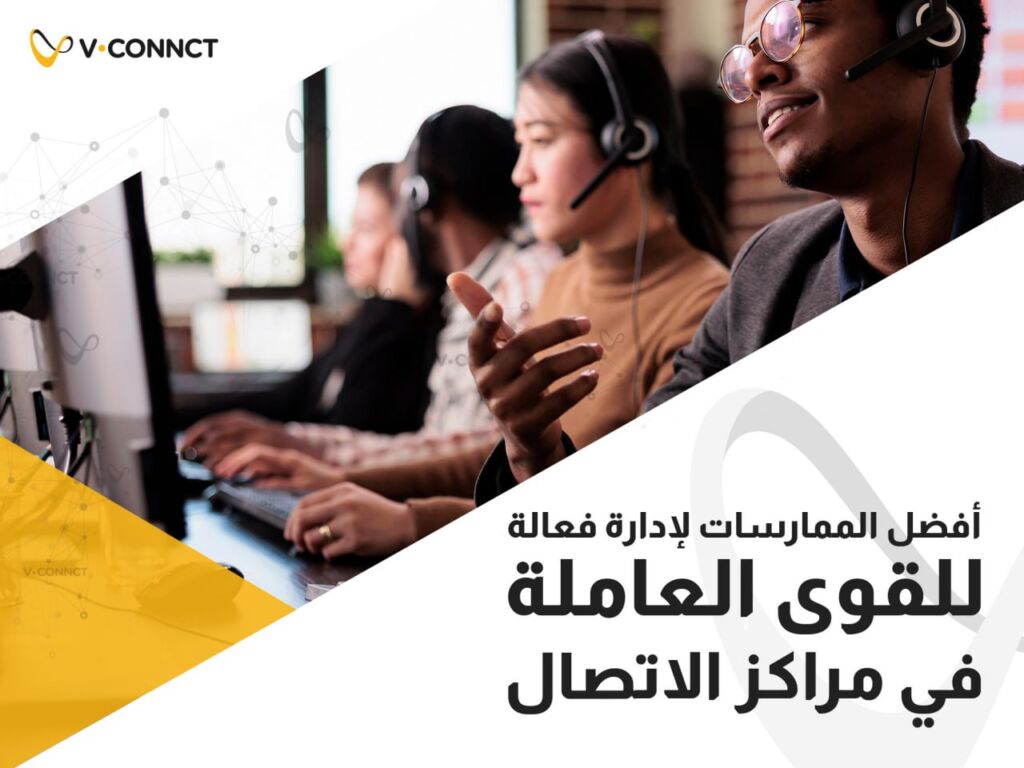
    إدارة القوى العاملة في مراكز الاتصال: أفضل الممارسات والنصائح

    إدارة مركز اتصال ناجح لا تقتصر فقط على الرد على المكالمات، بل تشمل أيضًا إدارة الأفراد والعمليات ومستوى الأداء لحظيًا.
    ولهذا أصبحت إدارة القوى العاملة في مراكز الاتصال عنصرًا أساسيًا لأي شركة تسعى لتقديم خدمة عملاء فعّالة وقابلة للتوسّع.
    في هذه المقالة، سنشارك معك أبرز الممارسات والنصائح العملية لتحسين أداء الموظفين، تقليل التكاليف، وتعزيز رضا العملاء.

    ما المقصود بإدارة القوى العاملة في مراكز الاتصال؟

    تشير إدارة القوى العاملة في مراكز الاتصال إلى الاستراتيجيات والأدوات والعمليات التي تُستخدم في التخطيط، التتبّع، وتحسين أداء وكلاء خدمة العملاء.
    ويشمل ذلك عادةً:

    • التنبؤ بعدد المكالمات المتوقع
    • جدولة مناوبات الموظفين
    • متابعة الالتزام والجودة في التنفيذ
    • تنظيم فترات الاستراحة، تبديل المناوبات والإجازات
    • تحليل الأداء بشكل لحظي وتاريخي

    نظام WFM فعّال يضمن وجود العدد المناسب من الموظفين في الأوقات المناسبة، دون زيادة أو نقص في التغطية.

    القوى العاملة في مراكز الاتصال
    القوى العاملة في مراكز الاتصال

    أفضل الممارسات لإدارة فعالة للقوى العاملة في مراكز الاتصال

    1. الاستفادة من البيانات التاريخية واللحظية

    اجمع بين أنماط المكالمات السابقة والبيانات اللحظية للتنبؤ باحتياجات التوظيف.
    الأنظمة المدعومة بالذكاء الاصطناعي تساعد في توقع فترات الذروة وتقليل وقت الانتظار.

    2. منح الموظفين مرونة في جدولة المناوبات

    السماح للموظفين بـ تقديم تفضيلاتهم، طلب تبديل المناوبات، أو المزايدة على الشفتات يعزز شعورهم بالسيطرة والرضا، دون التأثير على أهداف الخدمة.

    3. متابعة الالتزام الفعلي وليس فقط الحضور

    رغم أهمية الحضور، إلا أن الالتزام بالمهام المجدولة هو المعيار الأهم لتقييم الأداء بدقة.

    4. استخدام لوحات تحكم لقياس الأداء في الوقت الحقيقي

    توفر لوحات التحكم للمديرين نظرة لحظية على مؤشرات مثل: مدة المكالمة، طول قائمة الانتظار، ورضا العملاء، ما يساعدهم على التدخل بسرعة عند ظهور مشكلة.

    5. لا تتجاهل إشراك الموظفين وتحفيزهم

    الموظفون المتفاعلين يقدمون خدمة أفضل.
    احرص على قدر مجهوداتهم، وفر فرص تطوير، واستمع لآرائهم بانتظام للحفاظ على الروح الإيجابية.

    أبرز المزايا التي يجب توافرها في منصة إدارة مراكز الاتصال

    عند اختيارك لمنصة مثل V.connct، تأكد من توفر الخصائص التالية:

    • تنبؤات ذكية مدعومة بالذكاء الاصطناعي
    • مراقبة أداء لحظية
    • ميزة المزايدة على المناوبات والموافقات التلقائية
    • تطبيق موبايل يتيح المرونة للموظفين
    • نظام صلاحيات حسب الأدوار لحماية الوصول

    لماذا هذه الممارسات أكثر أهمية من أي وقت مضى؟

    مع تزايد توقعات العملاء واعتماد أنظمة العمل المدمج، تحتاج مراكز الاتصال إلى حلول مرنة لإدارة القوى العاملة.
    نظام WFM ذكي يساعد الفرق على أن تكون أكثر استجابة، وأكثر اعتمادًا على البيانات، مع الحفاظ على الطابع الإنساني في الخدمة.

    هل أنت مستعد لتحسين أداء مركز الاتصال الخاص بك؟

    اكتشف كيف يمكن لـ V.connct أن يساعدك في تحسين العمليات، التنبؤ بالاحتياجات، ودعم فريق أكثر رضاً.
    جرب V.connct مجانًا الآن أو احجز عرض تجريبي مباشر مع فريقنا.

  • ما هو نظام إدارة القوى العاملة؟ ولماذا يُعد ضروريًا

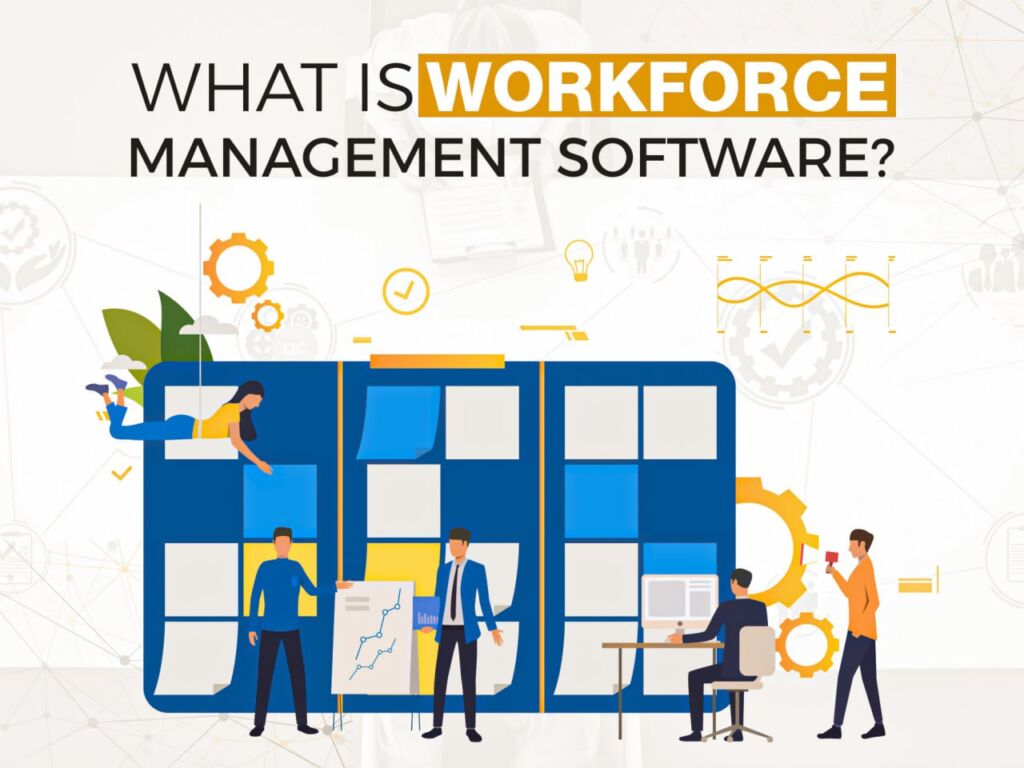
    ما هو نظام إدارة القوى العاملة؟ ولماذا يُعد ضروريًا

    مع انتشار الفرق عبر مناطق زمنية ونماذج عمل متنوعة، أصبحت الكفاءة هدفًا استراتيجيًا لا غنى عنه. وهنا يأتي دور نظام إدارة القوى العاملة، إذ يساعد هذا النوع من البرمجيات الشركات، صغيرة كانت أم كبيرة، على تنظيم الجداول، تتبع الأداء، وتحقيق أقصى قدر من الإنتاجية.
    في هذه المدونة، سنتعرف على معنى النظام، وكيفية عمله، ولماذا أصبح من الأساسيات في بيئة العمل المختلطة اليوم.

    ما هو نظام إدارة القوى العاملة؟

    نظام إدارة القوى العاملة (WFM) هو حل رقمي يُستخدم لتنظيم طريقة عمل الموظفين بشكل أكثر فعالية.
    يقوم هذا النظام بإدارة مهام مثل:

    • جدولة الموظفين
    • تتبّع الوقت والحضور
    • التنبؤ بحجم العمل والموارد
    • تنظيم الشفتات والمناوبات
    • تحليل الأداء والإنتاجية

    ومن خلال أتمتة العمليات الإدارية والروتينية، يتيح النظام لفرق العمل التركيز على القرارات الاستراتيجية وتطوير الأداء.

     لماذا يُعد نظام إدارة القوى العاملة مهما؟

    إليك الأسباب التي تدفع المؤسسات إلى الاستثمار في هذا النوع من الأنظمة:

    1. تقليل الأخطاء اليدوية

    التحوّل من الجداول اليدوية إلى أنظمة جدولة مؤتمتة يحد من الأخطاء البشرية وتضارب البيانات.

    2. رفع كفاءة العمليات

    يُسهم في مواءمة عدد الموظفين مع حجم الطلب بدقة لضمان وجود العدد المناسب من الأشخاص في الوقت والمكان المناسبين.

    3. تحسين تجربة الموظف

    عندما يستطيع الموظف بسهولة الاطلاع على جدوله، طلب إجازة، أو تبديل المناوبة، فإن ذلك يعزز من رضاه وتفاعله.

    4. دعم الامتثال والمساءلة

    يساعد النظام على الالتزام بالأنظمة العمالية ومراقبة التزام الموظفين بالسياسات الداخلية.

    المزايا الأساسية التي يجب توفرها في نظام WFM

    عند اختيار نظام مثل V.connct، تأكد من أنه يشمل:

    • تنبؤات تعتمد على الذكاء الاصطناعي لتنظيم المناوبات بشكل أذكى
    • إمكانية الوصول من خلال الهاتف المحمول لإدارة المهام في أي وقت
    • لوحات تحكم لحظية لقياس مؤشرات الأداء الرئيسية (KPIs)
    • تنبيهات تلقائية عند وجود تعارضات أو تأخيرات في الجدولة
    • صلاحيات حسب الدور لضمان الوصول الآمن للمعلومات

    من يحتاج إلى هذا النظام؟

    هذا النوع من البرمجيات يُعتبر ضرورة بالنسبة إلى:

    • مراكز الاتصال وخدمة العملاء
    • مؤسسات الرعاية الصحية
    • سلاسل البيع بالتجزئة
    • المؤسسات التعليمية
    • الفرق العاملة عن بُعد أو ضمن أنظمة مختلطة

    إذا كانت مؤسستك تعتمد على نظام المناوبات أو تضم أكثر من 10 موظفين، فغالبًا سيُوفر لك هذا النظام الوقت والمال.

    هل أنت مستعد لتطوير عمليات فريقك؟

    اكتشف كيف يمكن لـ V.connct أن يُبسط وينمي استراتيجيتك في إدارة القوى العاملة.
    جرب V.connct مجانًا الآن أو احجز عرض تجريبي مباشر مع فريقنا اليوم

  • Workforce Management Software: Why It’s Essential

    Workforce Management Software: Why It’s Essential

    With teams spread across time zones and diverse work models, efficiency has become a strategic necessity. That’s where workforce management software comes in. Whether you’re running a small team or a global enterprise, this software helps streamline scheduling, track performance, and enhance overall productivity. In this blog, we’ll break down what it is, how it works, and why it’s essential in today’s hybrid work landscape.

    What Is Workforce Management Software?

    Workforce management software (WFM) is a digital solution that helps businesses optimize how their employees work. It handles tasks like:

    • Employee scheduling
    • Time tracking and attendance
    • Workload forecasting
    • Shift management
    • Performance analytics

    By automating routine HR and operations processes, WFM software frees up time for strategic decision-making and team development.

    Why Does Workforce Management Software Matter?

    Here’s why more organizations are investing in workforce management tools:

     1. It Reduces Manual Errors

    Replacing spreadsheets with automated scheduling and attendance tracking minimizes human error and data discrepancies.

     2. It Improves Operational Efficiency

    WFM tools align workforce supply with business demand, ensuring the right number of staff are in the right place at the right time.

     3. It Enhances Employee Experience

    Allowing employees to view schedules, request time off, or swap shifts via a simple interface increases satisfaction and engagement.

     4. It Supports Compliance and Accountability

    Workforce management software helps you stay compliant with labor laws and track employee adherence to policies.

    Core Features to Look For in a WFM Solution

    When choosing a workforce management software like V.connct, make sure it includes:

    • AI-powered forecasting for smarter shift planning
    • Mobile access so teams can manage tasks on the go
    • Real-time dashboards for managers to track KPIs
    • Automated alerts to flag scheduling conflicts or missed shifts
    • Role-based permissions for secure access control

    Who Needs Workforce Management Software?

    This software is a must-have for:

    • Call centers & support teams
    • Healthcare providers
    • Retail chains
    • Educational institutions
    • Remote and hybrid teams

    If your business relies on shift-based work or has more than 10 employees, chances are, WFM will save you time and money.

    Ready to Upgrade Your Workforce Operations?

    Discover how V.connct can simplify and scale your workforce management strategy.
    Try V.connct for Free or Book a Demo with our team today.

  • Secure Team Chat: 5 Best Practices for Encrypted Meetings

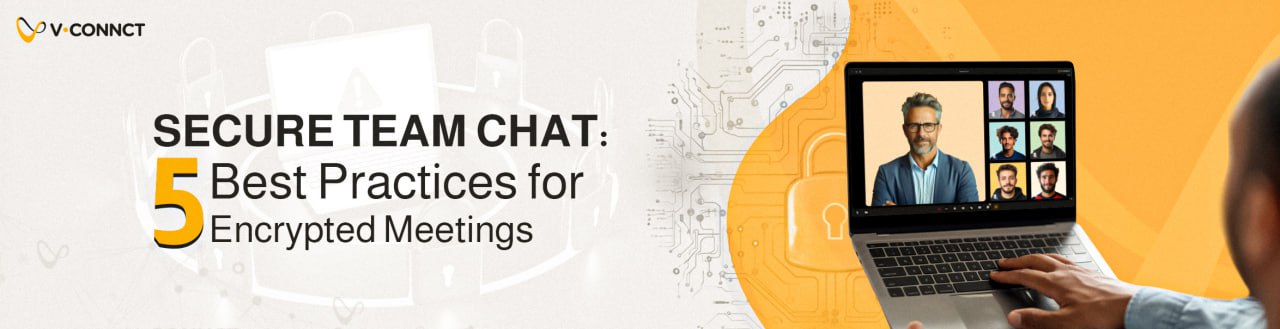
    Secure Team Chat: 5 Best Practices for Encrypted Meetings

    In today’s hybrid workplace, secure communication isn’t optional; it’s essential. Whether you’re coordinating across departments or hosting confidential client calls, secure team chat ensures your data and conversations remain private. This blog highlights best practices for keeping your meeting chats protected and encrypted from start to finish.

     Why Secure Team Chat Matters

    Unencrypted conversations can expose sensitive information, client data, internal strategies, or legal discussions to potential threats. A secure team chat not only protects data but also fosters trust with clients and colleagues. With regulations like GDPR and HIPAA in play, it’s more important than ever to maintain a secure digital environment.

    1. Use Platforms with End-to-End Encryption (E2EE)

    Choose a communication tool that offers end-to-end encryption by default for both messaging and meetings. This ensures that only participants can read messages, not from a third party, not even the service provider.

    Example: V.connct uses advanced encryption protocols to protect all chats and files shared during a meeting.

    2. Enable Role-Based Permissions for Chat Access

    Not every team member needs access to every conversation. Assign roles like Moderator, Presenter, and Attendee with specific permissions to limit who can send, view, or save messages.

     3. Set Auto-Clear and Chat History Retention Policies

    For highly sensitive discussions, set your system to auto-delete chat logs after meetings. This prevents accidental data leakage and ensures messages aren’t stored unnecessarily.

    4. Avoid Sharing Confidential Files in Open Chats

    It’s tempting to drop quick screenshots or reports in the chat, but avoid sharing sensitive documents unless you’re using secure file-sharing channels integrated into the platform.

    5. Train Your Team on Secure Chat Etiquette

    Technology is only as secure as the people using it. Offer quick training on chat safety, covering:

    • What to share (and what not to)
    • Recognizing phishing or spoofed links
    • Proper tagging and role etiquette in secure environments

     Keep Security in Focus Without Losing Collaboration

    Security doesn’t have to slow your team down. With the right platform and habits, secure team chat becomes a natural part of your collaboration toolkit, empowering you to move fast and stay protected.

    Try V.connct Today

    Seeking a secure and user-friendly team chat platform that prioritizes privacy?
    Try V.connct for Free or Book a Demo with our security experts.

  • 5 ممارسات لمحادثات آمنة مع فريقك واجتماعات مُشفرة

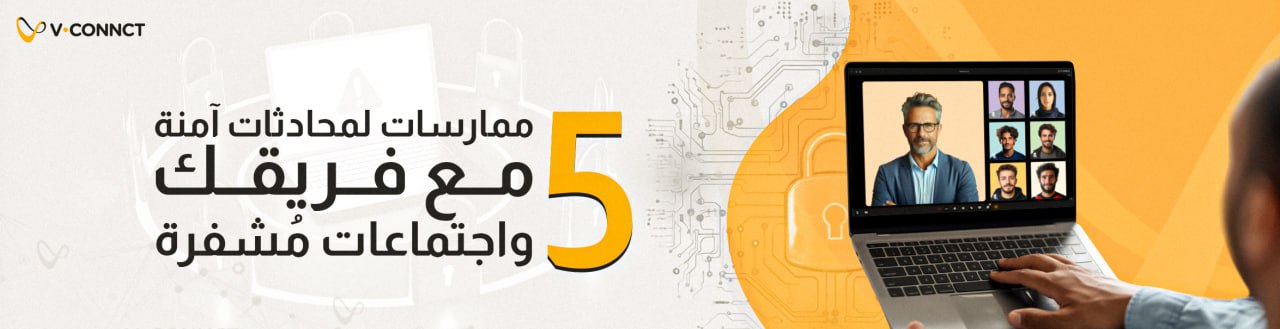
    5 ممارسات لمحادثات آمنة مع فريقك واجتماعات مُشفرة

    في بيئة العمل المرنة اليوم، لم يعد الأمان خيارًا، بل ضرورة. سواء كنت تنسّق بين الفرق أو تعقد اجتماعات سرّية مع العملاء، فإن وجود محادثات آمنة يضمن بقاء بياناتك ومحادثاتك محمية وخاصة.
    في هذه المدونة، نسلّط الضوء على أفضل الممارسات التي تساعدك على حماية محادثات الاجتماعات وتشفيرها من البداية وحتى النهاية.

    محادثات آمنة | لماذا لا يمكنك تجاهلها؟

    المحادثات غير المُشفرة قد تكشف عن معلومات حساسة، مثل بيانات العملاء أو استراتيجيات العمل الداخلية أو حتى نقاشات قانونية، ما يجعلها عرضة للاختراق.
    توفر محادثة الفريق الآمنة ليس فقط الحماية للبيانات، بل تعزز أيضًا ثقة العملاء والزملاء. ومع وجود قوانين مثل GDPR وHIPAA، أصبح من الضروري الحفاظ على بيئة رقمية آمنة.

    1. استخدم منصات تدعم التشفير التام بين الطرفين (E2EE)

    اختر أداة تواصل توفر تشفيرًا تامًا بين الطرفين بشكل ثابت لكل من الرسائل والاجتماعات. هذا يضمن أن يكون المحتوى مرئيًا فقط للمشاركين، دون تدخل أي جهة خارجية، حتى مزوّد الخدمة نفسه.

     مثال: منصة V.connct تعتمد على بروتوكولات تشفير متقدمة لحماية كل المحادثات والملفات التي يتم تبادلها خلال الاجتماع.

    2. فعل أذونات الوصول للمحادثة حسب الدور

    ليس كل عضو في الفريق يحتاج الوصول إلى كل محادثة. خصص أدوارًا مثل “مشرف”، “مقدم”، أو “مستخدم”، وامنح كل دور الصلاحيات المناسبة ، مثل من يستطيع إرسال الرسائل أو عرضها أو حفظها.

    3. قم بتفعيل خاصية الحذف التلقائي وسجل المحادثات

    في الحالات الحساسة، فعل ميزة الحذف التلقائي لسجل المحادثات بعد انتهاء الاجتماع. هذا يقلل من خطر التسريب ويضمن عدم الاحتفاظ بمحتوى غير ضروري.

    4. تجنب مشاركة الملفات السرية عبر المحادثات المفتوحة

    رغم أن مشاركة لقطات الشاشة أو الملفات خلال الاجتماع قد تبدو سريعة، إلا أنه من الأفضل عدم مشاركة مستندات حساسة إلا عبر قنوات مشاركة ملفات آمنة مدمجة في المنصة.

    5. قم بتدريب فريقك على آداب استخدام المحادثة الآمنة

    التقنية وحدها لا تكفي، فالأمان يعتمد أيضًا على وعي المستخدمين.
    قم بإعداد تدريبات سريعة لفريقك تتضمن:

    • ما يجب وما لا يجب مشاركته
    • كيفية التعرف على الروابط الاحتيالية أو المزيفة
    • استخدام الوسوم والأدوار بشكل صحيح ضمن بيئة آمنة

    قم بالتركيز على الأمان دون أن تعيق الإنتاجية

    الأمان لا يعني بالضرورة تعقيد العملية. باستخدام المنصة المناسبة والعادات الصحيحة، تصبح محادثة الفريق الآمنة جزءًا طبيعيًا من أدوات التعاون اليومية، ما يمنح فريقك سرعة التنفيذ مع أعلى درجات الحماية.

    جرب V.connct الآن

    هل تبحث عن منصة محادثة آمنة وسهلة الاستخدام تضع خصوصيتك في المقام الأول؟
      جرب V.connct مجانًا أو احجز عرض تجريبي مباشر مع فريقنا

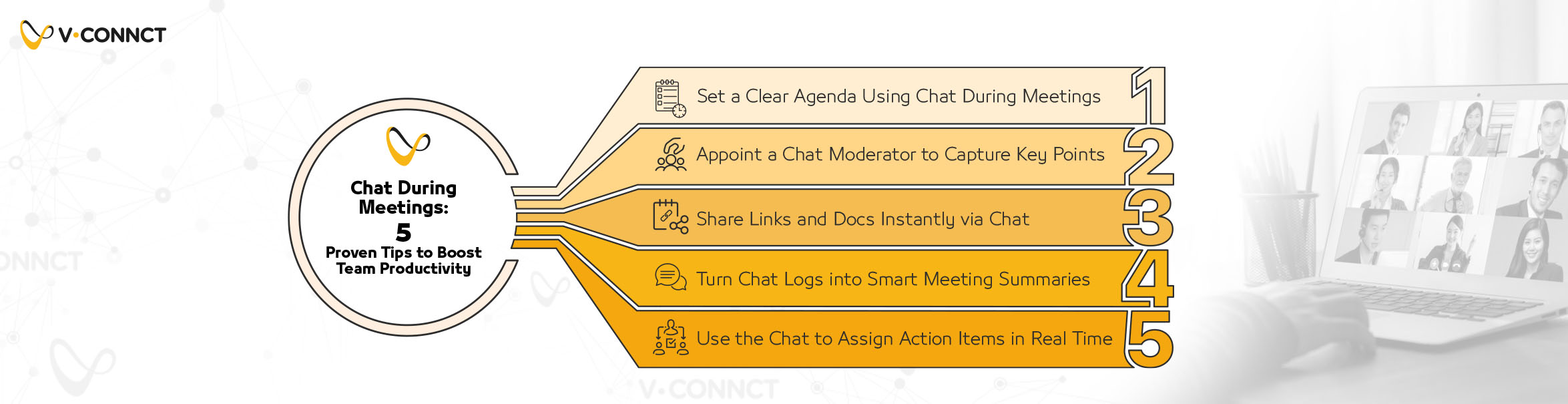
  • Chat During Meetings: 5 Tips to Boost Team Productivity

    Chat During Meetings: 5 Tips to Boost Team Productivity

    Remote work has transformed the way teams collaborate, but without effective communication, even the most talented teams can lose focus and momentum.
    Surprisingly, one of the most powerful and underutilized tools in remote meetings is the chat box. Used strategically, chat during meetings can align teams, reduce distractions, and keep everyone engaged in real time.

    In this blog, we’ll share 5 simple but powerful tips to turn your meeting chat into a productivity powerhouse.

    1. Set a Clear Agenda Using Chat During Meetings

    Before anyone hits “Join,” share a concise, bulleted agenda directly in the meeting chat.

    • It sets expectations
    • Keeps discussions on track
    • Reduces unnecessary tangents

    Pro tip: If using recurring meetings, keep a template agenda handy to reuse and modify quickly.

    2. Appoint a Chat Moderator to Capture Key Points

    Designate a team member to act as the meeting’s chat note-taker. They’ll record:

    • Action items
    • Decisions made
    • Outstanding questions

    This running log helps everyone stay in sync—especially when reviewing post-meeting chat transcripts.

    3. Share Links and Docs Instantly via Chat

    Forget screen sharing or post-meeting emails.
    Drop links to documents, decks, or tools directly into the chat for immediate access. This keeps everyone in the loop without breaking focus or switching tabs.

    Pro tip: Use pinned messages or starred chats for easy retrieval during the meeting.

    4. Turn Chat Logs into Smart Meeting Summaries

    After the call, don’t let your chat disappear into the void.
    Export the transcript and turn it into a:

    • Quick recap email
    • Task list in your project management app
    • Meeting summary in shared documentation

    It’s a fast, low-effort way to improve continuity across meetings.

    5. Use the Chat to Assign Action Items in Real Time

    Once a decision is made, drop the related task in the chat immediately.

    • Use bullet points
    • Tag the responsible person
    • Include due dates if possible

    This creates an informal live checklist and helps with accountability post-meeting.

    Ready to Supercharge Your Meeting Chat?

    Smarter collaboration is just one message away.
    ✨ Try V.connct for free—or Book a Demo with our team and transform your next remote meeting into a productivity machine. hat. It serves as a live checklist, making follow-ups easier.

    Ready to Supercharge Your Team Chat?

    Want smarter collaboration and seamless chat in your next remote meeting?
    Try V.connct for Free or Book a Demo with Our Team

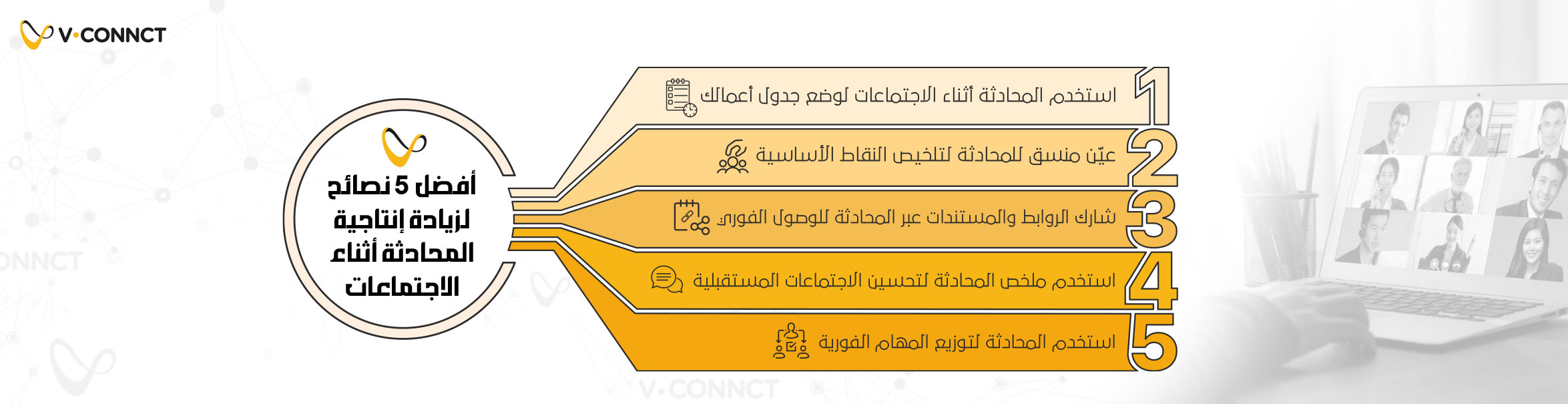
  • المحادثة أثناء الاجتماعات|أفضل 5 نصائح لزيادة إنتاجية

    المحادثة أثناء الاجتماعات|أفضل 5 نصائح لزيادة إنتاجية

    لقد غير العمل عن بُعد الطريقة التي تتعاون بها الفرق، لكن دون وجود تواصل فعال، يمكن أن تنخفض الإنتاجية بسرعة.
    من بين أكثر الأدوات التي لا يتم استغلالها بالشكل الكافي في بيئات العمل عن بعد هي المحادثة أثناء الاجتماعات.
    في هذه المقالة، نستعرض أفضل 5 نصائح لزيادة إنتاجية المحادثة أثناء الاجتماعات والتي تساعد الفرق على البقاء منسجمين، وتقليل التشتت، وإنجاز المزيد وكل ذلك من خلال نافذة المحادثة.

    1. استخدم المحادثة أثناء الاجتماعات لوضع جدول أعمالك

    قبل بدء المكالمة، شارك جدول أعمال موجز ومنظم بنقاط في محادثة الاجتماع.
    هذا يمنح الحضور نظرة سريعة على ما سيتم مناقشته ويساعدهم على التركيز منذ البداية.

    2. عيّن منسق للمحادثة لتلخيص النقاط الأساسية

    قم بتكليف أحد الأعضاء بتسجيل أهم النقاط والأسئلة في محادثة الاجتماع بشكل فوري أثناء الجلسة.
    هذا يسهل متابعة التسلسل ويُحسن الفهم، خاصة عند مراجعة المحادثة بعد انتهاء الاجتماع.

    3. شارك الروابط والمستندات عبر المحادثة للوصول الفوري

    بدلًا من إرسال الروابط عبر البريد الإلكتروني أو مشاركة الشاشة، ضع الموارد مباشرةً في المحادثة.
    ذلك يحافظ على وتيرة الاجتماع ويقلل من الانقطاعات الناتجة عن تبديل النوافذ أو التطبيقات.

    4. استخدم ملخص المحادثة لتحسين الاجتماعات المستقبلية

    بعد انتهاء الاجتماع، صدر أو نسخ محتوى المحادثة لإنشاء ملخص سريع يتم إرساله بالبريد الإلكتروني أو حفظه في أداة إدارة المهام.
    هذه الخطوة توفر توثيقًا عمليًا دون جهد كبير، وتساعد الفريق على العودة للنقاط المهمة بسهولة لاحقًا.

    5. استخدم المحادثة لتوزيع المهام الفورية

    عند اتخاذ أي قرار خلال الاجتماع، أدرج المهام في المحادثة.
    هذه الطريقة تُعتبر بمثابة قائمة تنفيذ مباشرة وتُسهل المتابعة بعد الاجتماع.

    هل أنت مستعد لتعزيز كفاءة محادثة فريقك؟

    هل تبحث عن تعاون أكثر ذكاء ومحادثة سلسة في اجتماعاتك القادمة؟
      جرب V.connct مجانًا الآن أو احجز عرض تجريبي مباشر مع فريقنا

  • Best Video SDK in 2025: V.cloud – The Ultimate Video Solution

    Best Video SDK in 2025: V.cloud – The Ultimate Video Solution

    As digital applications continue to expand and reliance on visual communication grows, choosing the best Video SDK in 2025 has become essential for ensuring efficient and advanced video technology solutions in applications. This year, several Video SDK providers stand out as the top choices, offering advanced APIs and reliable services that meet the needs of both users and businesses.

    In this article, we highlight the best Video SDKs in 2025 and the leading video tools available this year. We will also explore the unique advantages of each provider and the reasons why one stands out over the others.

    The Importance of Video SDK Technologies in Applications

    Video SDK and API solutions enable seamless integration of high-quality video calls and live streaming into applications, meeting the demand for advanced video communication experiences. These solutions enhance user engagement and increase loyalty, serving as the backbone for applications in communication, remote education, healthcare, e-commerce, and social interactions.

    What to Consider When Choosing a Video SDK?

    When selecting the best Video SDK in 2025, developers and businesses should consider several factors to ensure smooth integration and high performance, including:

    • Video Quality & Performance: The Video SDK should support high-definition video, including 4K resolution, with low latency and seamless responsiveness.
    • Security & Encryption: To protect user data, the provider should implement end-to-end encryption and advanced security policies.
    • Ease of Integration: The API should be user-friendly and easily integrable with web and mobile applications.
    • Technical Support & Updates: Choosing a provider with continuous developer support and regular updates ensures enhanced performance and new features.
    • Pricing & Costs: Some platforms offer flexible pricing plans suited for startups, while others provide enterprise-level solutions.

    Best Video SDKs in 2025

    Here is a comprehensive list of the top Video SDK and API providers offering cutting-edge video solutions in 2025:

    1. V.cloud

    V.cloud is among the best Video SDK providers in 2025, offering ultra-high-quality video solutions with 4K resolution. It integrates AI-powered enhancements for improved video clarity, reduced noise, and enhanced image sharpness.

    V.cloud seamlessly integrates with multiple platforms, including web, Android, and iOS. It features live streaming, automatic call recording, an intuitive API, and advanced end-to-end encryption for data security.

    2. Twilio

    A well-known service provider, Twilio offers quick integration with existing applications. It provides multi-platform support, call recording, and advanced security and encryption features.

    3. Dyte

    Dyte is known for its ease of use and flexible API, offering robust support for video technologies and WebRTC, making it an ideal choice for web and app developers.

    4. Agora

    Agora is one of the most renowned providers for real-time live streaming and interactive video services. It offers high-quality performance with low latency and advanced network optimization.

    5. Sinch

    Sinch provides flexible SDK tools that integrate with multiple platforms. It is highly scalable, making it a reliable and secure solution for large enterprises.

    6. EnableX

    EnableX offers versatile solutions with extensive scalability and customization options. It is particularly well-suited for industries like education, healthcare, and entertainment.

    7. Cometchat

    Cometchat provides a variety of chat and video solutions with advanced features like group calls, cloud recording, and live streaming, focusing on usability and seamless integration.

    8. Daily

    Daily specializes in fast and easy-to-integrate video API solutions, making it the perfect choice for startups and small to medium-sized applications.

    9. Vonage

    Vonage delivers an easy-to-use API service with support for advanced video and voice technologies, along with 24/7 customer support.

    Why Is V.cloud the Best Choice for 2025?

    V.cloud stands out as the top Video SDK provider in 2025 for several reasons. It offers the highest video quality, utilizing AI-driven enhancements to significantly improve image and sound clarity. V.cloud also supports broad integration options across multiple platforms, providing advanced features such as live streaming, automatic recording, and real-time connection monitoring.

    Data security is a top priority for V.cloud, with integrated encryption solutions ensuring user privacy and protection against breaches. Additionally, the platform features an intuitive API that simplifies integration for developers, allowing for quick and hassle-free development. V.cloud also provides highly responsive customer service with 24/7 technical support.

    Ultimately, if you are looking for the best tools to develop video applications in 2025, V.cloud is the ultimate choice, combining quality, security, ease of use, and flexible pricing.

  • أفضل Video SDK في 2025: حلول V.cloud لتطبيقات الفيديو الذكية

    أفضل Video SDK في 2025: حلول V.cloud لتطبيقات الفيديو الذكية

    مع استمرار توسع التطبيقات الرقمية وازدياد الاعتماد على وسائل التواصل المرئي، أصبح من الضروري اختيار أفضل Video SDK في 2025 لحلول فعالة ومتطورة لتقنيات الفيديو في التطبيقات. في عام 2025، يبرز عدد من مزودي Video SDK كأفضل الخيارات لتلبية هذه الاحتياجات، وذلك من خلال تقديم واجهات برمجية متقدمة وخدمات موثوقة تلبي متطلبات المستخدمين والشركات.

    في هذا المقال، نلقي الضوء على أفضل Video SDK في 2025 وأفضل أدوات الفيديو المتاحة لهذا العام، مع توضيح المزايا التي تجعل كل مزود فريدًا عن غيره، وأسباب تفوق أحد المزودين على الآخرين.

    أهمية تقنيات Video SDK في التطبيقات

    توفر حلول Video SDK و API إمكانية إدراج مكالمات الفيديو عالية الجودة والبث المباشر داخل التطبيقات بكل سهولة، مما يلبي احتياجات المستخدمين لتجارب اتصال مرئي متقدمة ويعزز من تفاعل المستخدمين ويزيد من ولائهم للتطبيق. وتعد هذه الحلول بمثابة الأساس الذي تقوم عليه تطبيقات التواصل، والتعليم عن بُعد، والرعاية الصحية، والتجارة الإلكترونية، والتفاعلات الاجتماعية بشكل عام.

    ما الذي يجب مراعاته عند اختيار Video SDK؟

    عند اختيار أفضل Video SDK في 2025، يجب على المطورين والشركات مراعاة عدة عوامل لضمان التكامل السلس والأداء العالي، ومنها:

    • جودة الفيديو والأداء: يجب أن يوفر Video SDK جودة فيديو عالية، مع دعم لدقة تصل إلى 4K واستجابة سريعة.
    • الأمان والتشفير: لضمان حماية بيانات المستخدمين، يجب أن يعتمد مزود الخدمة على التشفير من طرف إلى طرف وسياسات أمان متقدمة.
    • سهولة الدمج والتكامل: يجب أن تكون الواجهة البرمجية سهلة الاستخدام وقابلة للدمج مع تطبيقات الويب والموبايل بسهولة.
    • الدعم الفني والتحديثات: يفضل اختيار مزود يقدم دعمًا مستمرًا للمطورين، مع تحديثات دورية لتحسين الأداء وإضافة الميزات الجديدة.
    • التكلفة والتسعير: توفر بعض المنصات خطط تسعير مرنة تناسب الشركات الناشئة، فيما تقدم أخرى حلولاً مخصصة للمؤسسات الكبيرة.

    أفضل Video SDK في 2025

    نقدم فيما يلي قائمة موسعة لأفضل مزودي Video SDK وAPI الذين يقدمون حلول فيديو متقدمة في عام 2025:

    1. V.cloud

    يعد V.cloud أحد أفضل مزودي خدمات الفيديو SDK وAPI في 2025، إذ يوفر حلول فيديو فائقة الجودة بدقة تصل إلى 4K، مع دعم تقنيات متقدمة مثل دمج الذكاء الاصطناعي لتحسين جودة الفيديو وتقليل التشويش وتحسين وضوح الصورة. 

    يتكامل V.cloud بمرونة مع منصات متعددة مثل الويب وأندرويد وiOS، ويوفر ميزات متقدمة مثل البث المباشر، التسجيل التلقائي للمكالمات، واجهة برمجية سهلة الاستخدام، وأمان متطور يعتمد على التشفير من طرف إلى طرف.

    2. Twilio

    Twilio هو مزود خدمة شهير بفضل تكامله السريع مع التطبيقات الحالية، ويتيح Twilio مزايا مثل دعم متعدد المنصات، تسجيل المكالمات وإدارة متقدمة للأمان والتشفير.

    3. Dyte

    تشتهر Dyte بسهولة استخدامها وواجهة API المرنة، كما توفر دعمًا جيدًا لتقنيات الفيديو والويب RTC، ما يجعلها خيارًا مثاليًا لمطوري الويب والتطبيقات.

    4. Agora

    Agora من أشهر مقدمي خدمات الفيديو للبث المباشر والتفاعل في الوقت الحقيقي، تقدم خدمات بجودة عالية مع زمن استجابة منخفض وتقنيات متقدمة لتحسين أداء الشبكات.

    5. Sinch

    Sinch توفر أدوات SDK مرنة وتتكامل مع عدة منصات، تتميز بإمكانية التوسع بسهولة لتلبية احتياجات المستخدمين، وتوفر حلولًا آمنة وفعالة للشركات الكبيرة.

    6. EnableX

    تتميز EnableX بمرونة حلولها مع إمكانية التوسع والتخصيص لتناسب مختلف القطاعات مثل التعليم والصحة والترفيه، كما توفر دعماً شاملاً ومتكاملاً.

    7. Cometchat

    تقدم Cometchat مجموعة متنوعة من حلول الدردشة والفيديو مع ميزات متقدمة مثل المكالمات الجماعية والتسجيل السحابي والبث المباشر، مع التركيز على سهولة الاستخدام والتكامل.

    8. Daily

    Daily متخصص في توفير حلول فيديو API قابلة للدمج بسرعة وسهولة، ما يجعله الخيار الأمثل للشركات الناشئة والتطبيقات الصغيرة والمتوسطة.

    9. Vonage

    تقدم Vonage خدمة API سهلة الاستخدام مع دعم تقنيات متقدمة للفيديو والصوت، إضافة إلى خدمات دعم متاحة على مدار الساعة.

    لماذا V.cloud هو الخيار الأفضل لعام 2025؟

    تبرز V.cloud كأفضل مزودي خدمات Video SDK في 2025 لعدة أسباب. تتميز بتوفير أعلى جودة فيديو بفضل استخدام تقنيات الذكاء الاصطناعي التي تعزز من وضوح الصورة والصوت بشكل ملحوظ. كما توفر V.cloud خيارات تكامل واسعة تشمل مختلف المنصات، مع ميزات متطورة مثل البث المباشر والتسجيل التلقائي وإمكانية المراقبة المستمرة لأداء الاتصال.

    تولي V.cloud أهمية كبرى لأمن البيانات الشخصية من خلال اعتماد حلول التشفير المتكاملة التي تضمن خصوصية المستخدمين وتحمي بياناتهم من الاختراق أو التسريب. بالإضافة إلى ذلك، تتمتع المنصة بواجهة برمجية بسيطة وسهلة الاستخدام تساعد المطورين على سرعة الدمج والتطوير دون تعقيدات تقنية. كما توفر V.cloud خدمة عملاء متجاوبة للغاية مع دعم فني متاح على مدار الساعة.

    في النهاية، إذا كنت تبحث عن أفضل الأدوات المتاحة لتطوير تطبيقات الفيديو في عام 2025، فإن V.cloud هو الخيار الذي يجمع بين الجودة، الأمان، سهولة الاستخدام، والمرونة التسعيرية.